


Prime Video
4.7221.65K Reviews
App Specs
- Version
- Varies with Device
- Updated On
- License
- Free
- Downloads
- 500,000,000+
- Developer
- Amazon Mobile LLC
- Categories
- Entertainment
- Platform
- Android, iOS
Screenshots

 Analysis by AppCompare
For me, the most useful way to judge a streaming app is not just by what it offers, but by how easily I can find and watch something when I have a particular need. Prime Video is an entertainment app from Amazon Mobile LLC, and I find it works best when I treat it as a flexible viewing library rather than assuming every title is immediately included or equally easy to locate. Its 4.0 average from around five million ratings and more than 500 million installs suggest it has become a familiar choice for many viewers, but the day-to-day experience still depends on how you browse, what you want to watch, and the device you are using.
Finding your way through a crowded library
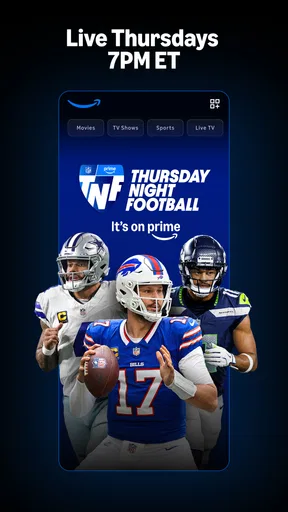
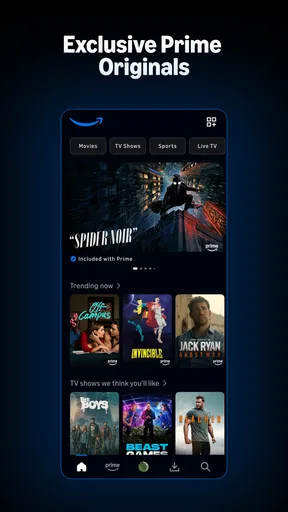
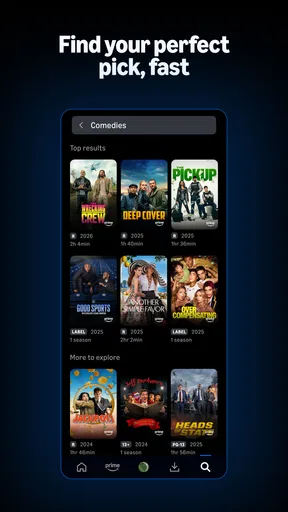
At first, the home screen can feel busy because movies, series, live programming, sports, and other viewing options sit within the same general environment. I recommend starting with a clear search when you already know what you want, then using browsing categories when you are open to suggestions. That small change makes the app feel less like a wall of promotions and more like a useful catalogue. Search is a practical shortcut, although it does not remove the need to check the title’s viewing details before pressing play.
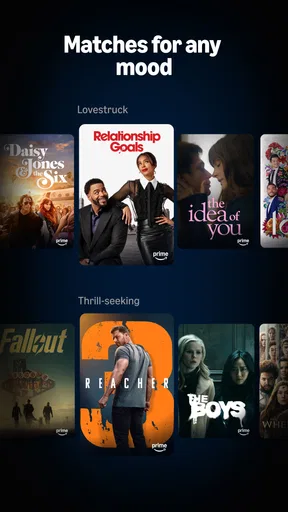
For readability, the app’s familiar rows and image-led presentation make scanning easier than reading long lists of titles. The trade-off is that artwork can dominate the screen, so people who prefer compact text menus may need a little patience. I also find that recommendations are more useful as prompts than as a reliable record of my taste. If a row keeps surfacing things I have already watched, I switch to a direct search or a genre browse instead of letting the home screen decide the evening for me.
Guides and Analysis on Prime Video
Navigation that works best with a plan
When I am choosing something for a group, I use the search field first and then compare a few options rather than scrolling endlessly. It is a simple approach, but it helps avoid the familiar “what should we watch?” loop. For solo viewing, browsing can be more enjoyable because an unfamiliar film or series may catch my eye. The app accommodates both habits, though its recommendations do not always feel as carefully tuned as those on services whose main strength is a tightly curated catalogue.
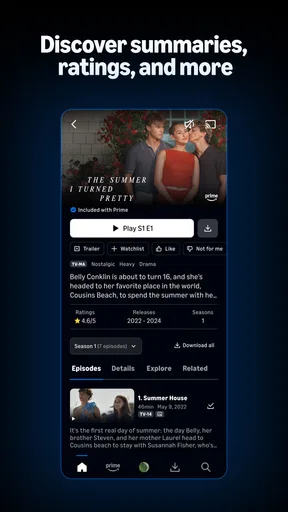
One feature I particularly appreciate is X-Ray, which can show information about actors and other details while a title is playing. I find it helpful when I recognize a face but cannot place the performer, or when I want a little context without leaving the video to search elsewhere. It is optional, which matters: I can ignore it when I want an uninterrupted story and open it when curiosity wins. That makes it a useful extra rather than a feature that gets in the way of basic playback.
Watching across different abilities and situations
Prime Video is easier to fit into everyday life when I choose the device and setting that suit the moment. A phone is handy for a short viewing break, while a tablet or television can make a longer film feel more comfortable. The app is free to download, but some viewing choices may involve in-app purchases; I check the details shown for a title before committing so that a rental or purchase does not come as a surprise. The app is rated for teens, so families should consider that guidance alongside the content of any particular film or series.
For people with motor or sensory needs, the most dependable advice is to test the controls and presentation on the device they actually plan to use. Touch navigation can be convenient, but small targets or a crowded screen may make browsing tiring for some users. Audio and visual preferences also vary, so I would check the options available during playback instead of assuming every title offers the same choices. A practical routine is to open a familiar title, test the controls before settling in, and make sure the screen and sound are comfortable in the room.
Worth Reading Before You Choose

Baby Panda World Brings Quick Play to Modern Phones, but Its Game Library Feels Busy

ESPN’s Live Game View Makes Following Close Games Easier

QuizzLand Review: A Good Fit for Short Trivia Breaks, Not Every Player

Basketball Stars: Multiplayer Is Fast, but Can It Recover When Matches Go Wrong?

WEBTOON Turns Phone Updates Into a Better Reading Routine

Link to Windows Runs on Shared Habits, Not Social Feeds
Where the trade-offs become noticeable
Prime Video is not always the simplest choice if your priority is a completely predictable catalogue or a minimal interface. The mix of viewing options can make it less obvious at a glance whether a title is included, or whether another transaction is involved. Its broad selection is a strength, but it also asks the viewer to do a little more checking. If you want a service with a smaller, highly curated collection, a different streaming app may be a better fit; if you value variety and do not mind browsing, this one has more room to surprise you.
It is also worth separating the app’s free download from the cost of access to particular content. Prime Video is listed as free, while in-app purchases range from a few cents to a few hundred dollars per item. That wide range makes it especially important to review the price attached to an individual option before confirming anything. The experience can be appealing for someone who already uses Amazon services, but I would not choose it solely on the assumption that every film or show is included at no additional cost.
Who is likely to enjoy it most?
I think Prime Video suits viewers who like to alternate between familiar series, films they have been meaning to try, and occasional live programming or sports. It is also useful in a household where different people have different tastes, because a broad library gives everyone more chances of finding something suitable. A realistic evening might start with searching for a film after dinner, checking whether it is available under the terms shown, and then switching to a series if nobody can agree. The app can support that kind of flexible plan, although it cannot make the decision for you.
By contrast, I would hesitate to recommend it to someone who dislikes browsing, wants a very simple single-purpose player, or needs a consistent viewing arrangement across every title. If a particular accessibility option is essential, verify it on the title and device you intend to use before planning around it. For a viewer who mainly wants a tightly organized collection and minimal choice, another service may feel calmer. For someone who enjoys exploring and is comfortable checking details, Prime Video offers a more varied path through entertainment.
Library, originals, and everyday comparisons
The first thing you'll notice about Prime Video is its extensive library. From blockbuster movies to TV series that have you hooked at episode one, there's no shortage of content. Whether you're into action, romance, or documentaries, there's something for everyone. And let's not forget the hidden gems that pop up just when you're about to give up on finding something new. It's like having a treasure trove at your fingertips.
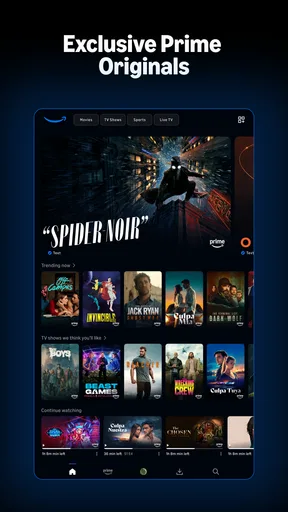
What sets Prime Video apart is its selection of Amazon Originals. Shows like "The Marvelous Mrs. Maisel" and "The Boys" have gained cult status and are exclusive to the platform. These originals are often the main reason viewers choose Prime Video over its competitors. The production quality is top-notch, and the storylines are refreshingly engaging.
Compared with services that build their appeal around a narrower set of exclusive series, Prime Video feels more like a mixed destination: I can come for an original, then look for a film, a live option, or a sporting event without changing apps. That breadth is useful, but it can make the experience less focused. If your main goal is to follow a specific original series, the app has a clear reason to stay installed; if you mainly want one polished recommendation after another, a more curated competitor may be easier to settle into.
Playback habits and small practical checks
Now, let's talk about the user experience. Navigating through Prime Video is pretty straightforward. The interface is intuitive, and the search function is surprisingly effective, considering the vast amount of content available. However, the recommendations could use a bit of fine-tuning. Sometimes it feels like the algorithm is a little too eager to suggest what you've already watched.
One useful habit is to check a title’s details before planning a shared watch, especially if the group has limited time. Doing that up front helps distinguish a straightforward play choice from one that may require another purchase, and it prevents a last-minute change of plan. I also avoid relying on a recommendation row as a complete guide to what is available: searching by a known actor, title, or genre can uncover options the home screen did not put in front of me. These are modest workarounds, but they make the large catalogue less frustrating.
One feature I particularly appreciate is the "X-Ray" function, which provides behind-the-scenes insights and actor details while you're watching. It's like having IMDb integrated into your viewing experience, which is a neat touch for movie buffs like me.
Cost, devices, and choosing the right context
When it comes to pricing, Prime Video is fairly competitive. It’s bundled with an Amazon Prime subscription, which includes benefits like free shipping on Amazon purchases. So, if you're already an Amazon Prime member, it feels like an added bonus rather than an extra expense.
The app is available on a wide variety of devices. Whether you're on your smartphone, tablet, or smart TV, accessing Prime Video is a breeze. The streaming quality is consistent, and buffering is rarely an issue, even on a less-than-stellar Wi-Fi connection.
The service was released on August 28, 2017, and it remains a familiar option for people who move between mobile viewing and a larger screen. On a phone, I would use it for a short episode or to decide what to watch later; for a full movie, I prefer a larger display and a comfortable setup. In a shared home, checking the intended screen and sound level before starting is a small but worthwhile courtesy. Those choices matter as much as the catalogue when viewing needs differ from person to person.
My inclusive take is that the app offers several ways into entertainment, but it does not make every part of the experience equally effortless for every viewer. The visual browsing style may be comfortable for some and tiring for others; touch controls may suit one person while another prefers navigating on a television. I would test the actual device, title, and playback options rather than assume a feature will be available everywhere. That approach is more reliable than choosing any streaming service based on broad accessibility promises alone.
A balanced recommendation
In conclusion, Prime Video offers a compelling package for both casual viewers and dedicated binge-watchers. With its diverse content library, high-quality originals, and seamless integration with Amazon’s other services, it’s definitely worth considering as your go-to streaming service. Whether you're looking to catch up on award-winning series or discover new favorites, Prime Video is ready to entertain.
So, next time you're in the mood for a movie night or a weekend series marathon, give Prime Video a try. Who knows, it might just become your new streaming staple.
My recommendation is to give it a place in your routine if variety matters more to you than a perfectly streamlined browsing experience. I would keep it for the originals, the broad mix of viewing choices, and the option to move between devices, while staying alert to title-level costs and the limits of recommendations. The app is best when I use its search and playback extras deliberately rather than expecting the home screen to do all the work. If that balance sounds right for you, it is a worthwhile entertainment app to explore; if you want fewer decisions and a more tightly controlled catalogue, I would compare alternatives first.
Pros
- Wide variety of movies and TV shows.
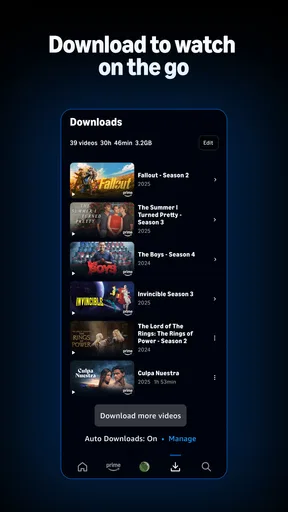
- Offline viewing available for downloads.
- Original content exclusive to the platform.
- Multiple profiles for personalized experience.
- User-friendly interface and navigation.
Cons
- Some content requires additional purchase.
- Limited subtitle options for certain shows.
- Not all content available in every region.
- Frequent updates can be data-heavy.
- Interface can be cluttered with ads.
FAQs for Prime Video
What is Prime Video, and how does it work?
Prime Video is a streaming service provided by Amazon that offers a vast library of movies, TV shows, and original content. Users can stream content directly on their devices, including smartphones, tablets, smart TVs, and computers. It requires a subscription, either through an Amazon Prime membership or as a standalone service.
How much does Prime Video cost?
Prime Video is included with an Amazon Prime membership, which costs $14.99 per month or $139 annually in the U.S. Alternatively, you can subscribe to Prime Video only for $8.99 per month. Pricing may vary by region, and special discounts may be available for students or EBT cardholders.
Can I download content from Prime Video for offline viewing?
Yes, Prime Video allows users to download select movies and TV shows to watch offline on compatible devices. This feature is particularly useful when you are traveling or in areas with limited internet connectivity. However, downloaded content may have an expiration period and is subject to regional availability.
Are there parental controls available on Prime Video?
Prime Video offers parental controls to help manage what content children can access. Users can set viewing restrictions based on content ratings and create a PIN to prevent unauthorized changes. Additionally, the service offers a Kids profile with age-appropriate content, ensuring a safer viewing experience for younger audiences.
What devices are compatible with Prime Video?
Prime Video is compatible with a wide range of devices, including iOS and Android smartphones and tablets, smart TVs, game consoles like PlayStation and Xbox, and streaming devices such as Roku and Fire TV. It is also accessible via web browsers on computers, ensuring flexibility in how you watch your content.


